

When you want to express emotions through text, the iPhone heart symbol – like ♥, ♡, 💕, 💖 – is an essential tool for showing love, support, or gratitude.
In this complete guide, you’ll learn how to use the heart emoji on iPhone with built-in features, third-party tools, and the latest iOS updates. Let’s master it together!
1. How to Use the iPhone heart symbol – No App Required!

Let’s begin with simple and effective ways to use the iPhone heart symbol directly on your device:
(1) Using the Emoji Keyboard
① In any text field (Messages, Notes, etc.), tap the 🌐 or 😊 icon to open the emoji keyboard.
② Use the search bar to type “heart” or “하트” – you’ll see a full list of heart emojis like ❤️💛💚💙💜🖤🤍.
③ On iOS 18+, you can find them under the “Symbols” or “Heart” category without searching.
※ Pro Tip: iOS 18 introduced new heart emojis like 💞 – don’t miss them!
(2) Copying Text-Based Heart Symbols
- Prefer symbols over emojis? Try copying from notes or websites:
- Examples: ♥ ♡ ❥ ❣ ❦ ❧
※ Caution : Some characters like ❦, ❧ may not display correctly in certain apps (e.g., KakaoTalk, Instagram).
(3) Setting Up Text Replacement Shortcuts
- Go to Settings > General > Keyboard > Text Replacement, then tap the “+” to add a new shortcut:
- Phrase: ❣💕💓
- Shortcut: “ht”, “#heart”, etc.
- This allows quick insertion of the heart emoji on iPhone while typing.
2. Copy and Use Heart Symbols from the Web
If you’re looking for stylish or text-based hearts beyond what’s available on the emoji keyboard, try these reliable websites. Each platform offers quick and easy ways to copy heart icons – ideal for upgrading your heart emoji on iPhone experience.
(1) SYMBL.cc – Heart Symbols Collection

- This site categorizes heart symbols (like ❤, ❦, ♡) and lets you tap to copy with just one click – perfect for mobile users.
- On desktop, you can simply click with your mouse to copy the iPhone heart symbol to your clipboard.
(2) EmojiEgg – Colorful and Stylish Heart Emojis
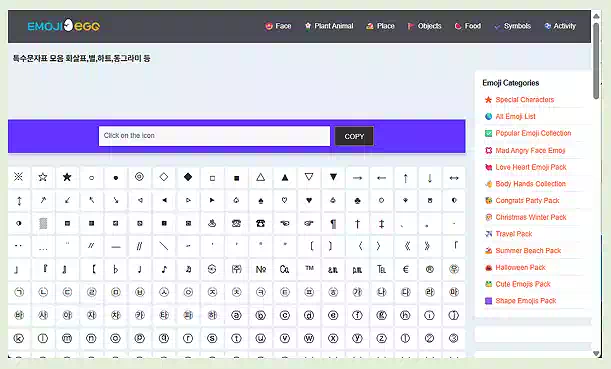
- This site presents heart emojis by color and style – including ❤️🧡💛💚💙💜🖤🤍🤎💖.
- Click on any heart to copy it instantly, whether you’re on iPhone, iPad, or desktop.
- It’s a great way to expand your heart emoji on iPhone library with one tap!
(3) WebTool.com – Cute Text-Based Heart Emoticons
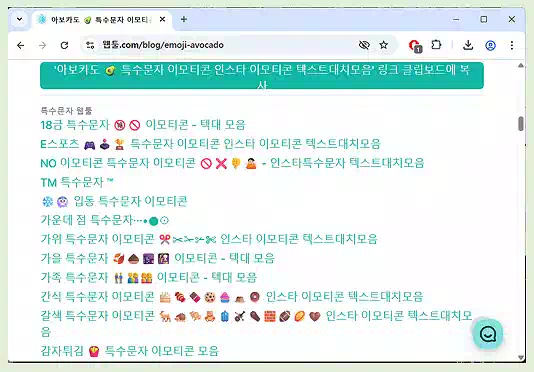
- Looking for kaomoji-style hearts like (。♥‿♥。)? This site offers a wide selection of text-based heart emoticons, easily copied with a single tap.
- Perfect for users who frequently send stylish heart text art via messages or social media.
(4) SNS Keyboard – Instant Heart Symbol Access
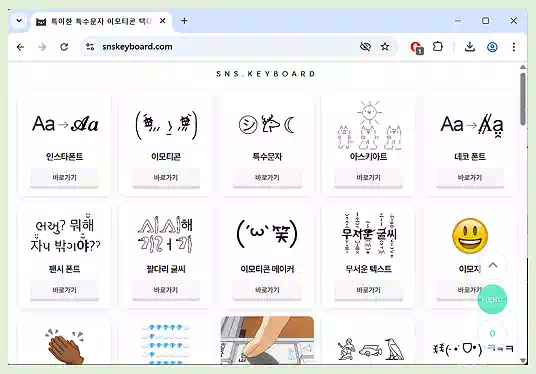
- No sign-up required. SNS Keyboard lets you browse a large variety of heart symbols and copy them with one click.
- Ideal for quick use on Instagram, KakaoTalk, or blog posts.
- Whether you’re crafting a message or decorating your profile, these tools bring more style to your iPhone heart symbol use.
(5) Naver Blog Symbol Collections (Korean Search-Based)
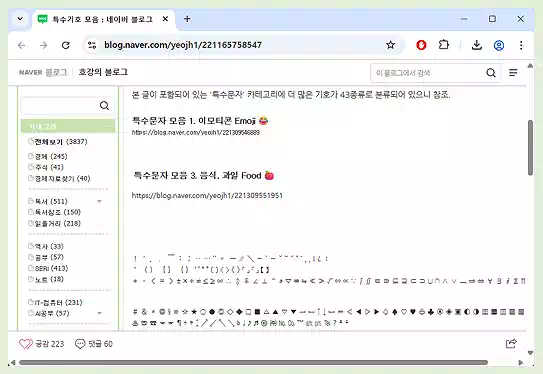
- Search for “네이버 블로그 특수문자 모음”(Naver Blog Symbol Collections) on Google to find Korean blog posts that compile unique heart icons.
- These collections often include hearts with dots, wings, arrows, or expressions – perfect for stylized messages.
- These sites offer creative ways to enhance your text and social posts using the heart emoji on iPhone and iPhone heart symbol in more expressive formats.3.
3. Advanced Methods: Heart Symbol Apps for iPhone
Apps can unlock even more ways to customize your iPhone heart symbol experience:
(1) Symbol Keyboard

- Offers hearts, arrows, stars, and more.
(2) FancyKey Keyboard
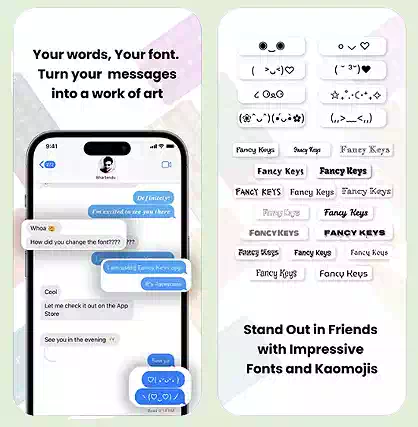
- Customize themes and emojis, including heart styles.
(3) Kaomoji Board

- Get cute Japanese-style emoticons like (♡´౪♡)` with one tap.
- ※ iOS 18 Tip : Some kaomoji (e.g., (♡˙︶˙♡)) are now supported natively!
4. What Do Heart Colors Mean? 💡
| Heart Color | Meaning |
|---|---|
| ❤️ Red | Love, passion, romance |
| 💛 Yellow | Friendship, encouragement |
| 💚 Green | Healing, growth, nature |
| 💙 Blue | Trust, loyalty, calmness |
| 💜 Purple | Empathy, romance, comfort |
| 🖤 Black | Individuality, grief, elegance |
| 🤍 White | Purity, new beginnings, marriage |
Trend Note: Colors like 🖤 and 🤍 can take on new meanings in social media culture.
Compatibility Warning: Some hearts may not render correctly on older devices or platforms.
5. Cute Heart Combos for Different Uses
① Instagram caption : ❣ Thank you so much ❣
② KakaoTalk message : 💕 Wishing you a lovely day 💕
③ Twitter bio : ♡(。☌ᴗ☌。)♡ Cheering you on!
④ Blog title : (♥‿♥) You’re my sunshine 💖
6. Extra Tips for Smart Heart Use
(1) Shortcuts App
- Use the Shortcuts app to auto-send heart messages. Example:
- “💖 Let’s go, you’ve got this!” → copied to clipboard or sent via Messages.
- Also works via Siri.
(2) iCloud Notes for Heart Collections
- Create a folder like “💗 Heart Collection” to store your favorite heart emojis.
- Sync across Mac and iPhone for quick access.
- ※ Tip : Using the “folder” feature in your memo app to create a dedicated folder for heart symbols can help you manage them more easily.
7. Final Thoughts: The Heart Is the Language of Emotion
❤️ With the heart emoji on iPhone and iPhone heart symbol, you can express warmth, encouragement, and style in your messages.
Whether you use built-in tools, shortcut settings, or external apps, let your emotions shine through every tap.
Stay updated with iOS and app compatibility, and bring a little more heart to your digital life! 💌